
January 28, 2026
Control Agent Costs Without Slowing Your Team Down
A practical guide to keeping AI agent spend predictable with caps, analytics, model choice, and focused agent design in Helpmaton.

When teams start running agents in production, costs can surprise you. It is not because agents are “expensive.” It is because spend becomes invisible and unbounded. You add a few tools, ship a few new prompts, and suddenly a quiet agent is doing a lot more work than you expected.
Cost control is not about cutting usage. It is about predictability. You want clear guardrails, fast feedback loops, and the freedom to scale when your agents prove their value.
Here is the pragmatic approach we built into Helpmaton.
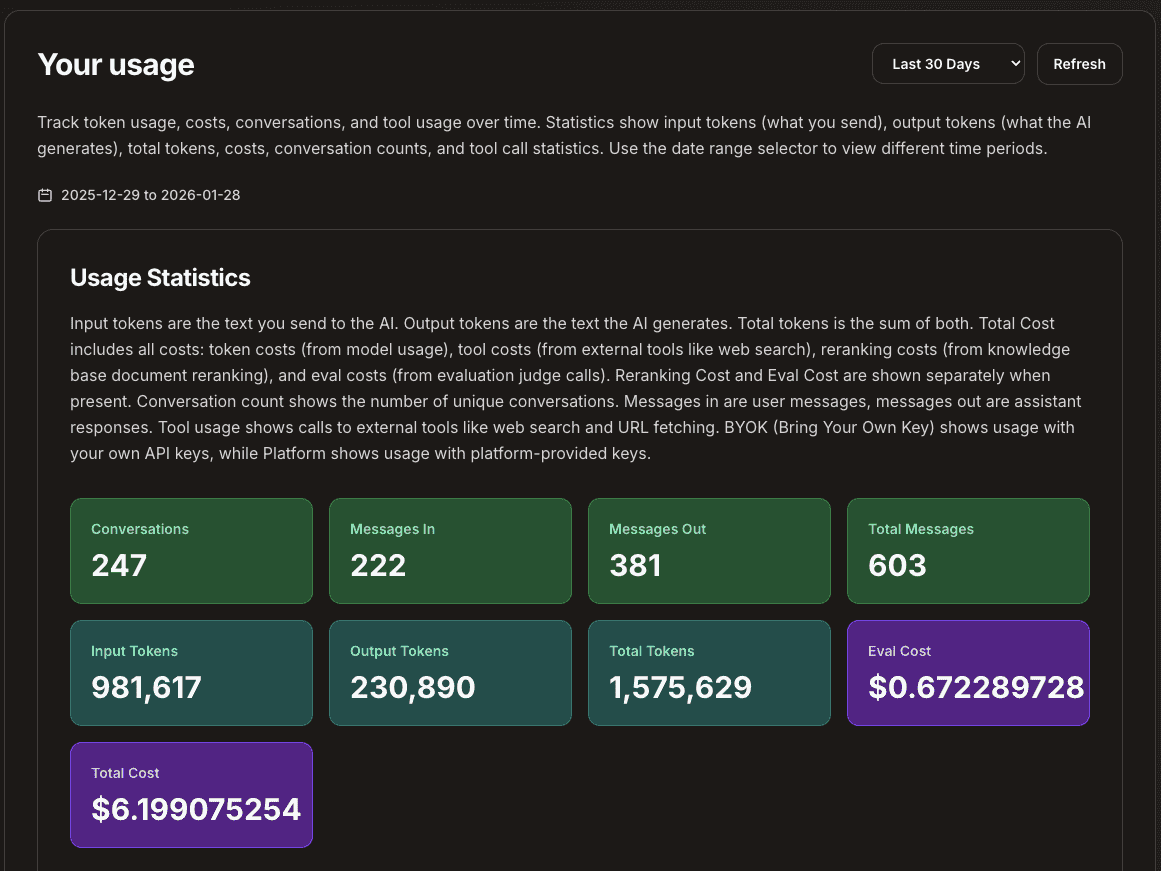
What cost control really means
When we say “control costs,” we mean three things:
- Guardrails: hard limits so spend never runs away.
- Visibility: see what is expensive before it hurts.
- Optimization: tune quality and cost without re-architecting everything.
The goal is not to make agents cheaper at all costs. The goal is to make them predictable so your team can keep shipping.
Six levers that keep spend predictable
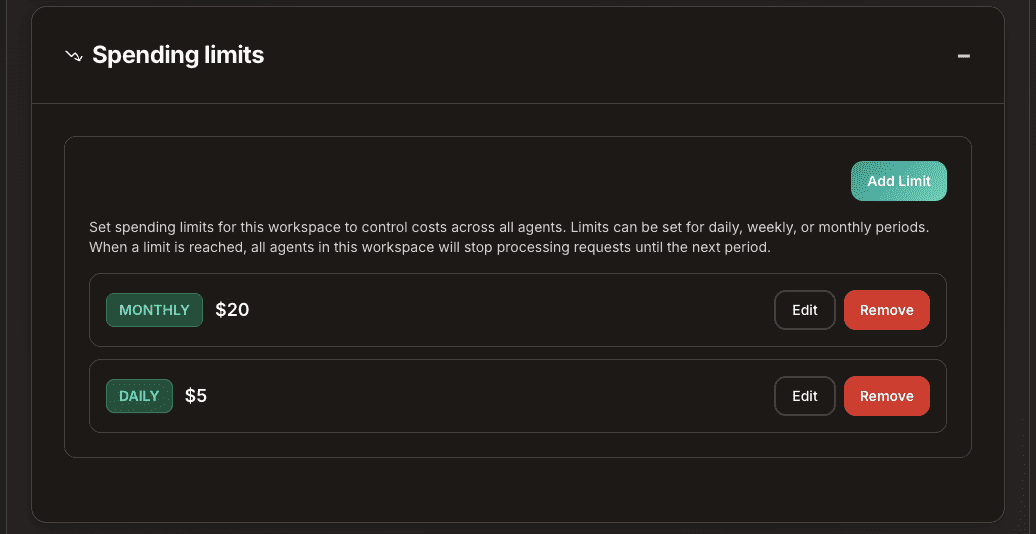
1) Set caps at the workspace and agent level
In Helpmaton, you can set daily, monthly, or yearly limits at the workspace or agent level. Limits are checked before each request, so you stay within budget automatically. This turns a budget discussion into a configuration step.
Example: Your “Support Agent” handles most traffic. Set a monthly cap for the workspace and a tighter cap for that agent. If anything starts to spike, it stops before it surprises you.
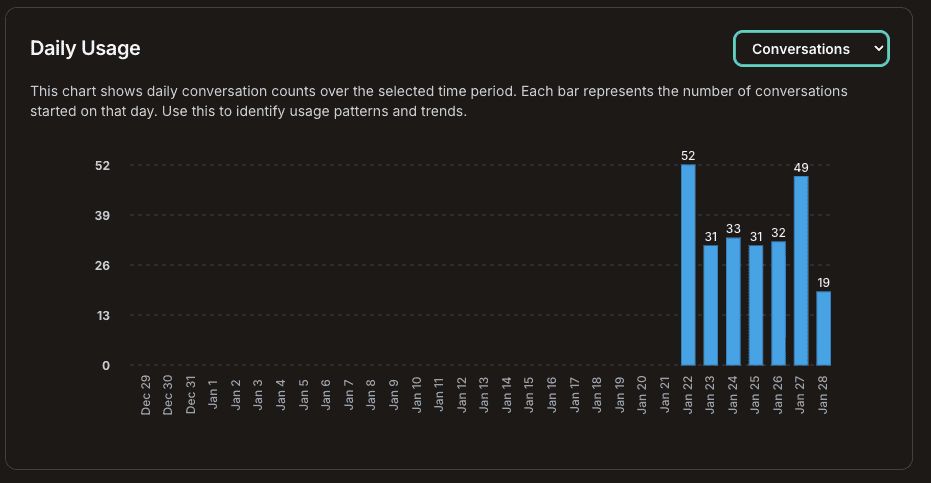
2) Use analytics to find spend hotspots
Usage analytics show usage by day, workspace, or agent, so you can see where time and spend go. This is the fastest way to identify a misbehaving tool or a prompt that is doing too much work.
Example: Your “Research Agent” is suddenly 5x its normal usage. You look at usage by hour, see a pattern, and trace it to a new schedule you just added. You fix it before it becomes a monthly surprise.
3) Mix models based on cost and impact
Helpmaton is provider-agnostic. You can use different providers and models per agent. This lets you match quality to cost instead of paying a premium for every step.
You also control how you pay. Bring your own API key (via OpenRouter) and pay providers directly, or buy credits through Helpmaton for a single billing flow. Either way, you still get usage tracking and spending limits.
Example: Route simple classification to a lighter model and reserve a higher end model for complex drafting or final answers. You get better ROI without changing your workflow.
4) Sample evals instead of evaluating everything
Judge evals let you measure quality without reviewing every conversation. With sampling controls, you can evaluate a subset of traffic to keep costs predictable while still catching regressions.
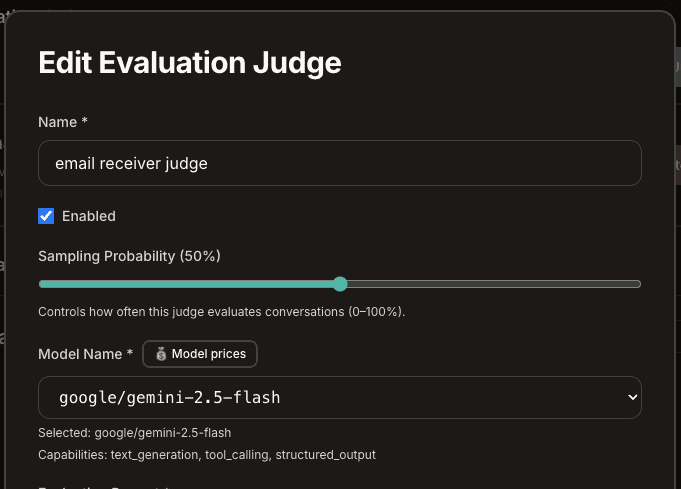
Example: Run evals on 10% of traffic during the week, then increase sampling when you roll out a new prompt. You get a quality signal without a full audit.
5) Use micro-agents to avoid context rot
Large prompts cost more and perform worse over time. A micro-agent architecture keeps each agent focused on a single responsibility, which reduces tokens, errors, and retries.
Example: Split a “Support Agent” into a Router, a Specialist, and a Writer. Each agent carries a smaller prompt, and the system scales without bloating context windows.
6) Scope tools per agent to avoid expensive actions
Every agent can have a different set of tools. This matters for cost control. If an agent does not need web search or a heavy integration, do not enable it.
Example: A “Weekly Summary Agent” only needs document search and memory. By disabling web search and external integrations, you avoid accidental spend.
A pragmatic playbook for teams shipping to production
Here is a simple progression we see work well:
- Start with caps and analytics so you can ship safely and see spend.
- Tune model choices per agent based on cost and impact.
- Add eval sampling to track quality without full cost.
- Refactor into micro-agents if prompts are getting large or brittle.
- Tighten tool access to avoid unnecessary external calls.
You do not need to do everything on day one. Start with guardrails, then optimize.
Final thought
You should not have to choose between cost control and velocity. Helpmaton is built to give you both: predictable budgets, clear visibility, and the flexibility to scale when your agents are delivering value.
If you want to see it in action, create a workspace, set caps, and test a few agents with different models. You will feel the difference in a week.
Ready to get started? Create your first agent.
TL;DR
- Cost control is predictability, not cutting usage.
- Set caps at the workspace and agent level.
- Use analytics to find spend hotspots fast.
- Mix models by task to balance quality and cost.
- Sample evals instead of scoring everything.
- Micro-agents reduce context rot and token usage.
- Scope tools per agent to avoid expensive calls.
Ready to keep costs predictable? Create a workspace, set your caps, and launch your first agent in minutes.